Turn a photo or drawing into a one-color halftone film, free, in your browser: a halftone maker built for screen printing, artists and printmakers. Pick your mesh count and print width, and download a PDF or PNG that prints at its real size. There is no size limit and no account; enter your email to download.
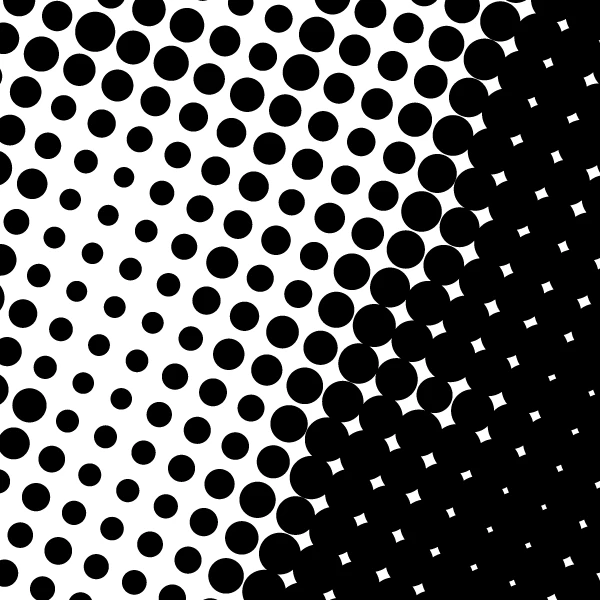
Round dot, 35 LPI at 22.5°, dots 5% to 92%, 720 dpi film
Need color, other screens, a proof before you burn, or the same film again next year? That is Halftoned Studio.
How it works
- Gray only, one ink. A color picture is made gray first. Each dot takes the tone at its own center and stays a whole round dot; only its size changes, set so the print matches the picture's light and dark, a touch lighter in the midtones where ink spreads on press.
- Your mesh sets the screen. The ruling is the mesh count divided by 4.5, and the dot range is 5% to 92% below 180 mesh and 3% to 95% from 180 up. The angle is 22.5°, which keeps the dots off the mesh weave. The halftone LPI calculator shows the same numbers for any mesh.
- Highlights your screen can hold, shadows that close smoothly. Only white is left bare: every other tone gets at least the smallest dot your screen holds, so a pale area keeps an even fine dot and no dot is lost on the screen. In the shadows the gaps between dots close smoothly to solid.
- Every dot is whole and round. No dot is cut off: a big dark dot keeps its round edge even next to a light one, and where the picture is solid black over at least a dot's width, the film follows the picture's own edge, so outlines and type stay sharp.
- The film is the size you ask for. The PDF page is the film plus a margin with a label line (mesh, LPI, angle, dot range and size). The PNG carries its resolution, 720 dpi, or 1440 dpi above 85 LPI.
- Your picture stays on your device. The film is made in your browser; nothing is uploaded.
The film is also in a video that shows the dots up close.
Printing the film
Print the PDF at 100% with no scaling, on film made for your printer, with the printer's darkest black setting. The inkjet film positives guide has the settings that matter, and the dark film guide covers film that comes out too light. Then find your printable dot range with a step wedge and set your mesh from what your screens hold.
What Halftoned Studio adds
The free generator makes one gray film with one screen. Halftoned Studio makes the whole job, for an artist printing an edition or a shop running a reorder:
- Color: spot color, simulated process, index and CMYK separations, with a white underbase for dark shirts.
- Sixteen screens, from round dots to spirals, type and dithers.
- Settings for your press: dot gain, the smallest dot your mesh holds, and how dots meet the edges of the art.
- A proof on screen of every ink on the shirt color before you burn a screen.
- The same film next time: saved jobs, your ink library and your printer's calibration.
$15 a month or $150 a year, unlimited films. See the pricing.
Questions
Is the halftone generator really free?
Yes. Make as many films as you like, at any size. Enter your email once to download. We may email you now and then about the generator and Halftoned; every email has a one-click unsubscribe, and you can ask us to delete your address at any time.
What size can the film be?
Any size. The film is made in strips, so a large film takes longer but does not run out of room. A 10 by 12 inch film at 720 dpi takes a few seconds on a laptop.
Which mesh count should I pick?
The mesh of the screen you will burn. The page sets the LPI from it: 110 mesh gives 24 LPI, 156 gives 35, 230 gives 51 and 305 gives 68. Finer mesh holds smaller dots, so it can carry a finer halftone.
Can I make a halftone for a dark shirt?
Yes, for one light ink: tick Invert, and the film carries ink where the picture is light, so white ink on a black shirt prints the picture's light parts. For a white underbase under other colors, or several colors, use Halftoned Studio.
PDF or PNG?
PDF for printing film: the page is the film's exact size and most print dialogs keep it at 100%. PNG for placing the halftone in other software; it carries its resolution so it opens at size.
Is this the same as a halftone effect or filter?
It makes the same kind of dots, but sized for a real screen. A halftone filter in a photo editor or a design app picks a dot size that looks good on screen; this generator sets the LPI, the dot range and the angle from your mesh count, so every dot is one the screen can hold and the film prints at its exact size. To use the halftone in a design, download the PNG and place it at the size it opens at.